
Picture this: you've built a stunning house. It's got beautiful walls, a state-of-the-art kitchen, the works. But there are no doors and no signs. It might look incredible, but nobody can find their way in, let alone navigate it. That's exactly what happens when web design ignores SEO. You end up with an invisible masterpiece.
Integrating SEO into your web design process is all about building the pathways, the signs, and the solid foundation that lets both search engines and actual people discover, explore, and fall in love with your website right from the get-go.
In the old days, a lot of people treated SEO as something you did after the website was built – kind of like adding furniture to a finished house. That approach is not just outdated; it's expensive and totally ineffective. Trying to "bolt on" SEO to a site with a weak foundation is like having to knock down walls to fix a dodgy floor plan. It just doesn't work.
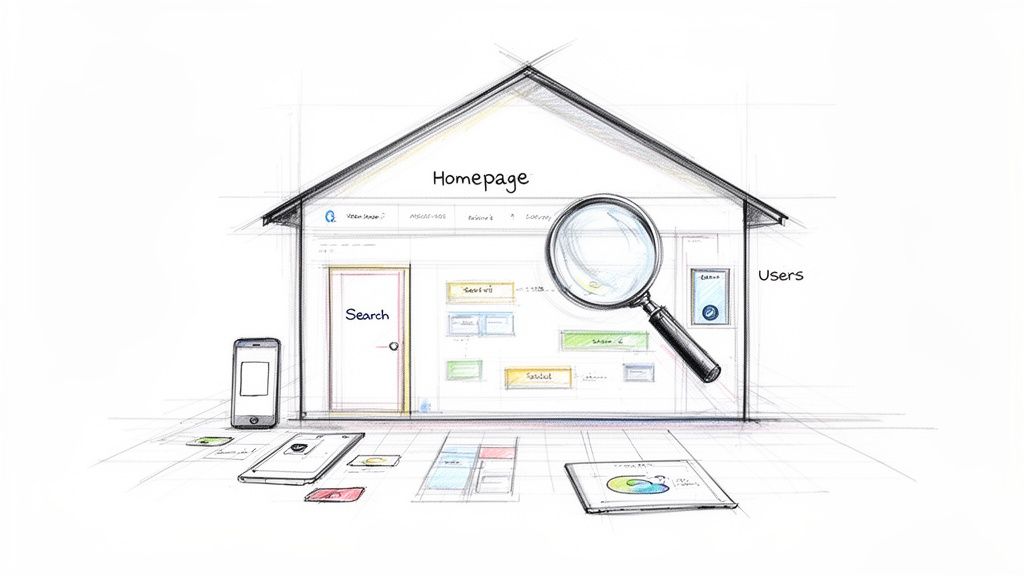
A successful digital presence today is built by weaving SEO principles directly into the fabric of the design process. It ensures every single element, from the first sketch to the final code, is optimised from the start.
This foundational approach treats SEO in web design not as a final touch-up but as the architectural blueprint for the entire project. It's about making deliberate choices that serve two masters at the same time: the search engine crawlers indexing your site and the human visitors who actually use it.
When you start thinking about SEO from the initial wireframe stage, you build a site that is inherently discoverable and a joy to use. This integrated strategy really zeroes in on a few key areas:
The goal is to build a website that doesn't just look good but performs brilliantly. A site that ranks well in search results is almost always one that provides an excellent experience for its visitors. This synergy is the heart of modern web design.
As search engines get smarter with AI, understanding how AI models like GPT interpret web content is becoming more and more vital for getting found online. The principles we're about to cover lay the groundwork for that future.
For any business thinking about an overhaul, getting your head around the steps in a strategic website redesign in Australia is crucial for long-term success. This guide will give you a clear roadmap to get there.
At the end of the day, Google's main job is to give people the best possible answers to their questions. It pulls this off by rewarding websites that deliver a fantastic user experience (UX). This creates a simple, powerful connection: a site designed for people is, by its very nature, a site that’s optimised for search engines.
Think of your website’s navigation like the signs in a massive department store. If they're confusing, shoppers get frustrated, can’t find what they’re looking for, and just walk out. It’s exactly the same online. A visitor who lands on your site and can't figure out where to go or what to do next is going to hit the "back" button. That sends a pretty clear negative signal to Google.
This is where the fusion of SEO in web design becomes so important. Every single design choice, from the page layout and font selection to how fast your pages load, directly shapes how people interact with your site. And you can bet Google is paying close attention to those interactions through its engagement metrics.
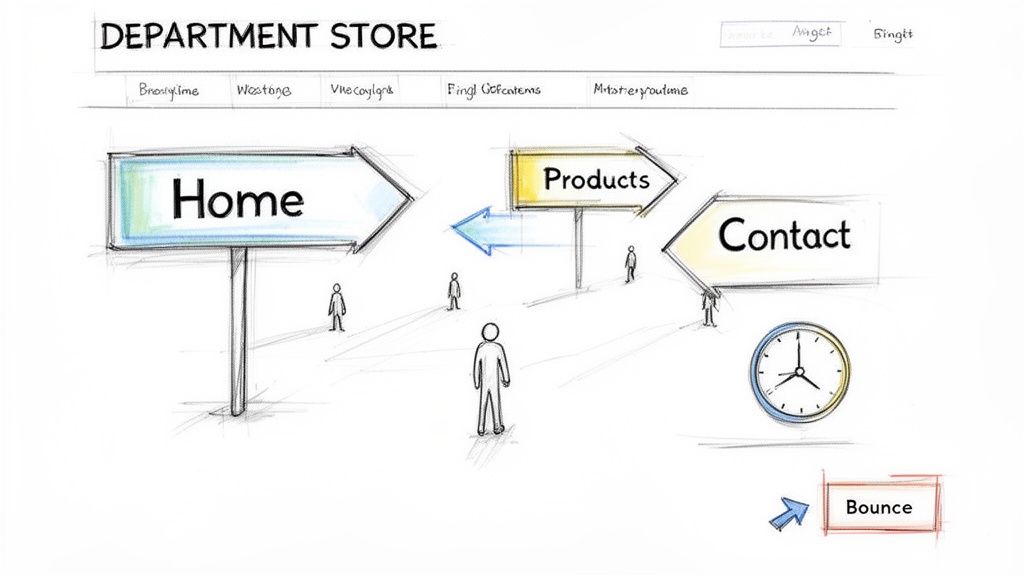
Search engines keep a close eye on specific user behaviours to figure out the quality and relevance of a webpage. These aren’t just abstract numbers; they’re direct feedback on how satisfied your visitors are.
Two of the big ones are:
When someone stays on your site, clicks through to other pages, and actually engages with your content, they’re essentially giving Google a thumbs-up. "Hey, this is a great result!" A well-designed website makes this journey smooth and enjoyable, which leads to better engagement signals and, you guessed it, higher search rankings.
To put some hard numbers on user experience, Google rolled out the Core Web Vitals. These are specific metrics that measure the real-world experience someone has on your site, focusing on loading speed, interactivity, and visual stability.
Think of it like ordering a meal at a restaurant.
Getting these elements right is a massive part of SEO-focused web design. It ensures the site doesn’t just look good but is also technically solid, creating a seamless experience that both users and search engines love. And of course, a great user experience is also key to learning how to improve your website's conversion rate, because happy users are far more likely to take action.
A fast, intuitive, and stable website is no longer a luxury—it’s a baseline expectation. Google rewards sites that meet this expectation because they deliver the high-quality experience its users demand.
This focus is especially critical in the Australian market. With 46% of all Google searches having local intent, a design that ignores location-specific user needs is leaving a huge opportunity on the table. A staggering 28% of those local searches result in a conversion, proving that building things like location pages and geo-targeted content directly into the web design is a powerful strategy for growth.
Getting SEO right in your web design isn't about one magic bullet. It’s about building a solid, stable structure from the ground up, supported by a few key pillars. When these elements are baked into your site from day one, they create a foundation that both search engines and your customers can count on.
Think of them as the non-negotiable architectural supports of a website that actually performs.
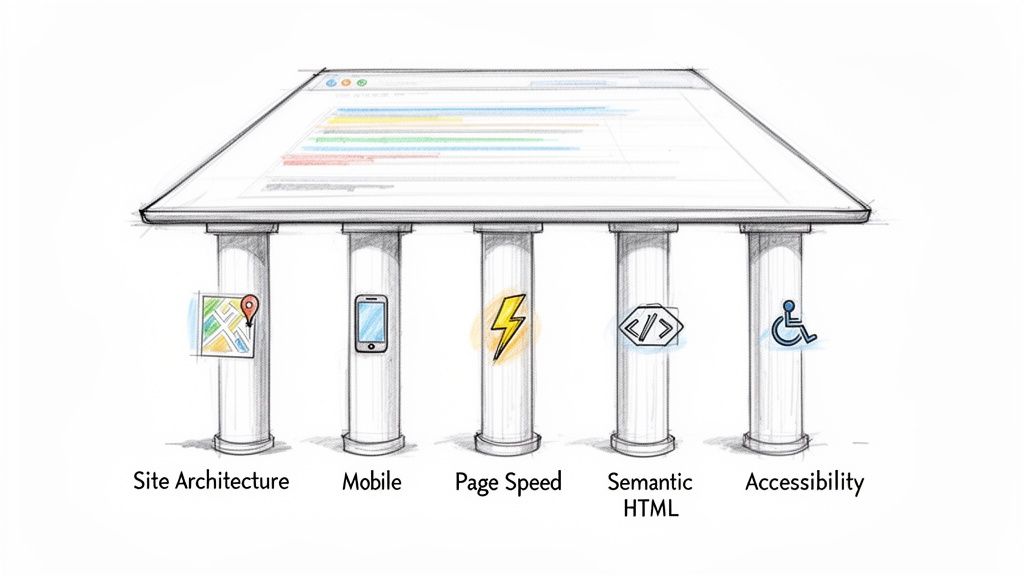
If you neglect even one of these, the whole structure gets wobbly, making it much harder to rank well and give visitors an experience they'll appreciate. Let’s break down the five crucial elements that are the bedrock of SEO in web design.
To help visualise how these elements work together, here’s a quick overview of each pillar, its direct impact on your search rankings, and the main goal for your design team.
| Pillar | SEO Impact | Primary Design Goal |
|---|---|---|
| Site Architecture | Helps search engines understand content hierarchy and importance, distributing authority across the site. | Create a clear, intuitive navigation structure that guides both users and crawlers effortlessly. |
| Mobile Responsiveness | Crucial for Google's mobile-first indexing, directly affecting rankings on all devices. | Ensure a seamless, functional experience on any screen size, from desktops to smartphones. |
| Page Speed | A direct ranking factor; slow speeds increase bounce rates and signal a poor user experience. | Optimise all elements (images, code, server) for near-instant load times. |
| Semantic HTML | Provides clear context to search engines, improving their ability to index and rank content accurately. | Use descriptive HTML tags to define the purpose and structure of every piece of content. |
| Accessibility | Overlaps with technical SEO, improving usability for all and sending positive signals to Google. | Design a site that is usable by everyone, including people with disabilities, following WCAG standards. |
As you can see, each pillar reinforces the others. A well-structured site is easier to make mobile-friendly, a fast site improves accessibility, and so on. Now, let's explore each one a little more closely.
Ever tried finding a book in a library with no signs, no categories, and no index? It’s a frustrating, impossible task. That’s exactly how a search engine crawler feels when it hits a website with messy, confusing architecture.
A well-planned site architecture is like a clear map. It uses a logical hierarchy to organise your content, making it incredibly simple for search engines to see how your pages relate to one another and understand the overall context of your site. Most of the time, this means a "pyramid" structure, with your homepage at the top, key category pages below, and individual service pages or blog posts at the base.
This clarity should extend right down to your URLs. Clean, descriptive URLs like yourwebsite.com.au/services/web-design are miles more effective than jumbled ones full of random numbers and symbols. A logical structure also helps spread "link equity" (or authority) through your site, signalling to Google which pages are the most important.
Let's be clear: designing for mobile isn't an "add-on" anymore—it's the main event. Google now runs on mobile-first indexing, which means it primarily looks at the mobile version of your site to decide how to rank you. If your site is a clunky mess on a smartphone, your rankings will suffer everywhere.
A responsive design is one that automatically adjusts its layout to fit any screen, from a huge desktop monitor to the phone in your pocket. This makes sure every single visitor has a smooth, functional experience, no matter how they find you.
Some key things to get right for a mobile-friendly design include:
A website that isn't designed for mobile is essentially invisible to a huge chunk of your audience and to Google's crawlers. It’s a fundamental requirement for modern SEO.
Have you ever clicked a link only to be met with a blank white screen that seems to last an eternity? Most people won't wait. In fact, the chance of a user bouncing off your site jumps by 32% as the page load time goes from just one to three seconds.
Page speed is a massive ranking factor and the absolute cornerstone of a good user experience. Slow pages frustrate people and send all the wrong signals to search engines. The goal is to make your site feel snappy and instant.
Getting those load times down comes from smart technical design choices:
These performance metrics are directly linked to Google's Core Web Vitals, which measure the real-world experience people have on your site. For a deeper dive, check out these SEO optimization best practices that cover performance in more detail.
Beyond what your visitors see, the code underneath your website tells a story to search engines. Semantic HTML is all about using specific tags to give meaning and context to your content. It’s like using proper formatting in a document—headings, lists, and quotes—to make it easy to follow.
Instead of wrapping everything in generic <div> tags, semantic HTML uses descriptive tags like:
<header> for the top banner of a page.<nav> for your navigation menu.<main> for the core content.<article> for a self-contained piece like a blog post.<footer> for the section at the very bottom.Using these tags correctly helps search engines immediately understand the structure and purpose of your content. This makes their job easier and boosts the chances of your content being indexed correctly and showing up for the right search queries.
Finally, a truly great website is one that everyone can use, including people with disabilities. Web accessibility isn’t just about doing the right thing; it has some serious SEO perks, too. Many of the best practices for accessibility actually overlap with technical SEO.
For example, providing descriptive alt text for images helps visually impaired users with screen readers understand what an image is about. At the same time, it gives search engines valuable context. Similarly, a logical heading structure (H1, H2, H3) helps both screen reader users and search engine crawlers navigate your content.
By following the Web Content Accessibility Guidelines (WCAG), you create a better experience for absolutely everyone. This leads to higher engagement and sends positive signals to search engines, reinforcing that your site is a high-quality, trustworthy resource.
Think of structured data as a backstage pass for search engines. You’re essentially giving Google a cheat sheet that spells out exactly what your page is about, unlocking those fancy features in search results like star ratings, FAQs, and event details.
When you sprinkle a bit of Schema markup into your website's HTML, you're translating your content into a language search crawlers can instantly understand. They no longer see just a block of text; they see a recipe with cooking times, a product with a price, or a local business with opening hours. That clarity leads directly to eye-catching enhancements that make your link impossible to ignore.
This isn’t just about looking good, either. Many businesses see their click-through rates (CTR) jump by up to 30% after implementing rich snippets. That extra real estate in the search results convinces more people to choose your page over a competitor's. It's a massive advantage.
Different types of Schema are designed for different jobs. Picking the right one all comes down to what's on your page, who you're trying to reach, and how it fits into your overall seo in web design strategy.
The trick is to match the purpose of your page to the correct schema. Each one offers a unique way to enhance your search result and drive a real, measurable boost in engagement.
Adding structured data is only half the job. You also need to weave your target keyword, like "seo in web design," naturally into your page's headings, body copy, and image alt text. It’s all about creating a consistent story for both people and search engines.
For instance, an <h2> could read, “Why SEO in Web Design Demands Schema Markup.” An image's alt text (<img alt="">) could describe what's in the picture while also including the keyword. This strengthens the page's relevance and helps with accessibility at the same time. When your on-page elements work in unison with your markup, everything just clicks.
| Schema Type | SERP Feature | Approximate CTR Lift |
|---|---|---|
| LocalBusiness | Map pack | +20% |
| Product | Review stars | +35% |
| Article | Rich snippet preview | +10% |
| FAQ | Collapsible answers | +12% |
This table gives you a quick snapshot of how choosing the right schema can really move the needle on your click-through rates.
By far the easiest and cleanest way to add structured data is with JSON-LD. Google recommends it because it lets you keep your schema code separate from the rest of your page's HTML, making things much tidier.
Here’s a simple example of what this looks like for a local business:
{ “@context”: “https://schema.org”, “@type”: “LocalBusiness”, “name”: “Virtual Ad Agency”, “image”: “https://www.virtualadagency.com.au/logo.png”, “address”: { “@type”: “PostalAddress”, “streetAddress”: “123 Marketing St”, “addressLocality”: “Adelaide”, “addressRegion”: “SA”, “postalCode”: “5000”, “addressCountry”: “AU” }, “telephone”: “+61-8-1234-5678”, “openingHours”: “Mo-Fr 09:00-17:00” }Key Insight: When structured data is rolled out correctly, CTR can climb by 12% or more. That’s a massive win that saves hundreds of hours of manual optimisation work down the track.
Once you've implemented schema, the job isn't done. It's an ongoing process of checking, tweaking, and improving.
<head> or just before the </body> tag on each page.Keeping track of these KPIs shows you what's working and what isn't, allowing you to fine-tune your approach. For example, a case study with Virtual Ad Agency showed a 25% spike in clicks from local searches right after we added the LocalBusiness schema.
By continually iterating and expanding your schema, your site will maintain its edge. Structured data is a non-negotiable part of modern seo in web design, turning technical code into tangible results that help you stand out. Implement it, test it, and watch it work.
It’s one thing to talk about SEO theory, but making it happen is where the real magic lies. Getting SEO in web design right demands a shared game plan that gets your designers, developers, and SEO specialists on the same page from the very first kickoff meeting.
Think of this checklist as the blueprint for your project. Stepping through it methodically stops SEO from being a last-minute patch-up job. Instead, it becomes part of your site's very DNA, saving you from expensive do-overs and setting you up for success from day one.
This little diagram shows how structured data works its magic, helping search engines understand your content and transform it into those eye-catching rich results that users can't help but click.
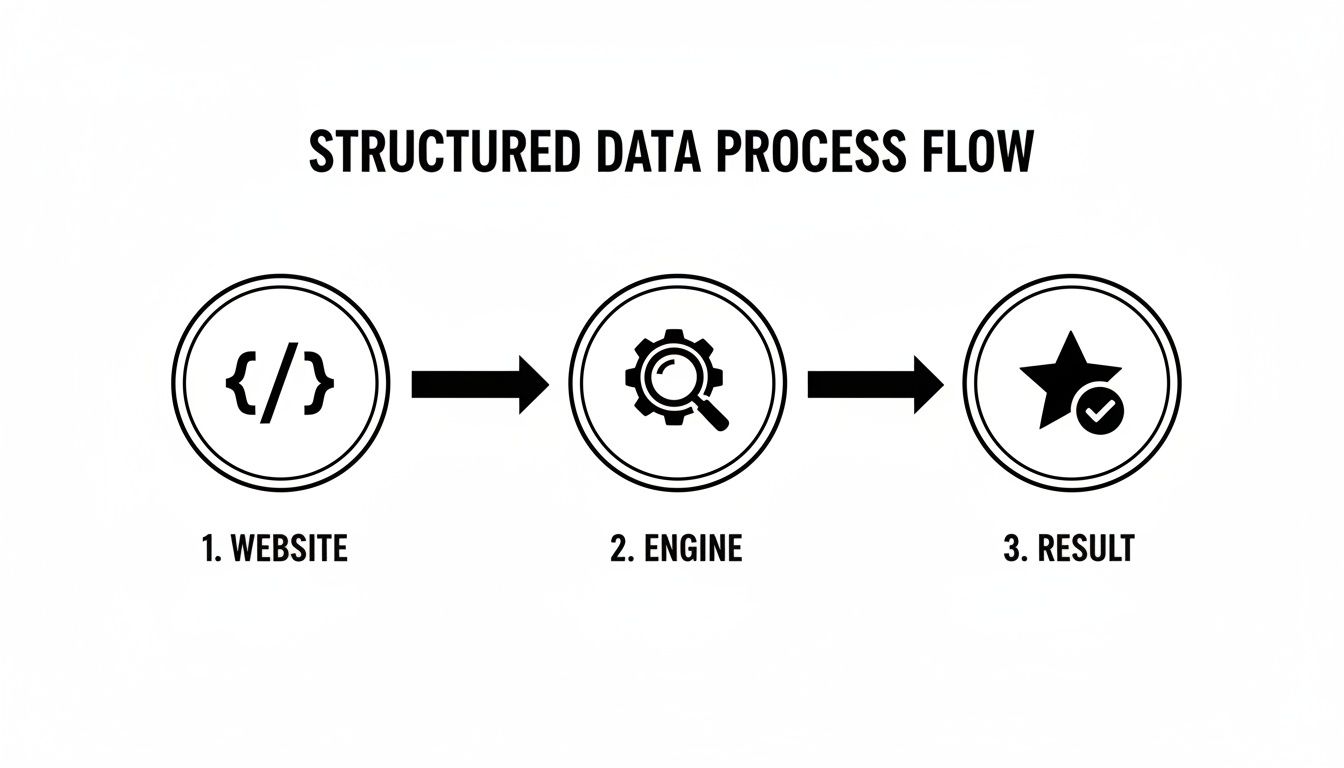
It’s a great visualiser for how the technical stuff you do behind the scenes directly boosts how visible you are to potential customers.
This is where you lay the groundwork. The calls you make here ripple through the entire project, so nailing the strategy and getting the whole team aligned is non-negotiable.
Now, we shift from strategy to the tangible user experience. This is where stunning aesthetics and solid SEO functionality need to become best friends.
A classic blunder is falling in love with a beautiful design that's a nightmare to build for speed. By thinking about performance during the wireframing stage, you make sure the final website is both a looker and a sprinter.
Alright, it's time to build. This is where your designs and strategies get turned into a living, breathing website. Paying close attention to the technical SEO nuts and bolts here is crucial.
<header>, <nav>, and <main>. They act like signposts for search engine crawlers, helping them make sense of your content's structure and purpose.The job's not done when the site is built. A solid pre-launch audit and a watchful eye after launch are what separate a smooth rollout from a chaotic one.
So, you’ve launched the new site. It looks fantastic. But the real question is, is it actually working? An SEO-driven web design project is only a success if it delivers tangible, measurable results.
It's time to move past the vanity metrics. We need to focus on the key performance indicators (KPIs) that actually drive business growth. This is how you prove that building SEO in web design from day one was the right call.
Tracking the right data shows you what’s hitting the mark and, just as importantly, where there are opportunities to improve. The goal was never just to launch a pretty site; it was to launch a high-performing asset that generates leads and revenue.
To get a clear picture of your success, you only need to track a handful of critical metrics. These are the numbers that give you direct insight into how both users and search engines are responding to your new design.
Here’s what to keep your eye on:
You don't need a massive software budget to get started. In fact, two free tools from Google are absolutely essential for any website owner.
Google Analytics 4 is your go-to for understanding what people do once they land on your site. It reveals where they came from, which pages they love, and how they navigate through your content.
On the other hand, Google Search Console gives you priceless data on your site's performance in Google's search results. It shows you which search queries are driving clicks, what your average ranking position is, and flags any technical issues that might be holding you back.
By combining insights from both platforms, you create a powerful feedback loop. Search Console tells you how people find you, and Analytics tells you what they do when they get there.
To really dig into your progress and pinpoint areas for improvement, using a comprehensive SEO tool is a smart move. Options like those covered in a SERanking review can be crucial. Setting up a simple dashboard to watch these core metrics will show exactly how investing in an SEO-focused web design delivers a clear and positive return.
When design and search optimisation cross paths, a few key questions always seem to pop up. Let's clear the air and give you some straightforward answers on how to blend SEO into your web design process.
Look, SEO is a long game, not an instant win. When you launch a new site with solid technical foundations, search engines might start indexing those improvements within a few weeks. But to see real, meaningful jumps in your rankings and organic traffic, you're typically looking at a 3 to 6-month timeframe.
This all depends on how competitive your industry is and how consistently you keep up with your content. The big takeaway is this: baking SEO into your design from day one gives you a much stronger launchpad for faster, more sustainable growth down the track.
A great SEO and design strategy is all about building lasting authority, not just chasing a quick spike in traffic. The patience you put in at the start pays off big time with a steady stream of traffic and leads for years to come.
Not necessarily. You can definitely give an existing website an SEO boost with a thorough technical audit and some targeted optimisation. This could be anything from cranking up the page speed and adding structured data to giving your content a good refresh.
However, if your site's core structure, mobile experience, or the code it's built on are fundamentally broken, a redesign is often the smarter move. A complete do-over lets you weave SEO best practices into the very DNA of your site, which almost always delivers a much stronger result.
Honestly, that's the wrong question to ask—you can't have one without the other. A drop-dead gorgeous design is completely useless if the site takes forever to load or is a nightmare to use on a phone. People will be gone before they even get a chance to admire your handiwork.
On the flip side, a lightning-fast site with a clunky, confusing design won't keep anyone around long enough to convert them. The whole point of effective SEO in web design is to strike that perfect balance: a beautiful, intuitive user experience that runs on a rock-solid, high-performance platform.
Ready to build a website that doesn't just look amazing but also climbs to the top of the search results? The team at Virtual Ad Agency specialises in creating high-performance websites that drive real business growth. Find out more about our approach and see how we can help you succeed at https://www.virtualadagency.com.au.

 previous