
Let’s be blunt: an outdated website is actively costing your Australian business money.
It’s not just about looking a bit tired or old-fashioned; it’s about haemorrhaging potential customers, damaging your brand’s credibility, and falling behind competitors who are keeping up with what users expect.
Many businesses put off a redesign, viewing it as a major expense. The reality? The cost of doing nothing is almost always higher. Recognising the warning signs early is the first step toward building a solid, data-driven case for a redesign—one based on performance, not just aesthetics.

So, how do you know when it’s truly time to pull the trigger? The clues are usually hiding in plain sight, right there in your analytics and in the way your site feels to a first-time visitor.
The most obvious red flags are buried in your analytics data. A steady drop in organic search traffic is a classic sign your site is losing favour with Google, often due to clunky mobile performance or outdated SEO.
Likewise, a stubbornly high bounce rate on your most important pages—think services or product pages—is a huge problem. It tells you that people are landing on your site and leaving almost immediately without finding what they need.
These aren’t just abstract numbers; they represent real, lost opportunities. For instance, if a key landing page has a 70% bounce rate, that means seven out of every ten potential customers you worked so hard to attract are walking away. That’s a clear signal your page design, content, or calls-to-action just aren’t hitting the mark.
In Australia, the mobile experience isn’t just a nice-to-have; it’s everything. Over 60% of all web traffic now comes from mobile devices. If your site isn’t optimised for a smartphone, you’re essentially slamming the door on the majority of your audience.
If people have to pinch and zoom to read your text or can’t tap a button without hitting three others, they won’t stick around. Simple as that.
This isn’t just about user frustration, either. It’s a major ranking factor. Google’s mobile-first indexing means it primarily uses the mobile version of your site to decide where you rank. A clunky mobile experience directly hurts your visibility, making a website redesign in Australia a critical business priority.
A slow, awkward mobile site doesn’t just frustrate users—it damages trust. Visitors often associate poor performance with poor service, and many won’t return after a bad experience.
Take an honest, hard look at your competitors’ websites. Are their sites faster? Easier to navigate? Do they just feel more professional and trustworthy? If the answer is yes, you’re already at a disadvantage.
A modern website is a powerful tool for building authority. If yours looks like it was built a decade ago, potential customers might start to question your credibility and relevance in today’s market.
It’s essential to properly review what your competitors are doing right (and wrong). Our guide on how to conduct competitor analysis offers a structured way to gather these insights. This isn’t about copying them; it’s about understanding the current standard in your industry and finding opportunities to blow past it.
The Australian web design industry is massive—worth around AUD 1.3 billion in 2022—which shows just how seriously businesses are taking their online presence. And for good reason: a well-designed website can increase conversion rates by as much as 200%, proving the tangible returns of keeping your digital storefront in top shape.
A successful website redesign is built on a solid strategy, not just a fresh coat of paint. Before you even think about colours or fonts, you need a data-backed plan. This blueprint becomes your North Star for the entire project, making sure every single decision ties back to a clear business goal.
Top Aussie agencies don’t jump straight into mockups. They always start with a deep dive to understand the ‘why’ behind the redesign. This is where you shift from a vague feeling that your site is “a bit old” to having a crystal-clear picture of its strengths, weaknesses, and opportunities.
First up, you need to conduct an honest audit of your current website. The aim here is to pinpoint exactly what’s working, what’s broken, and what’s completely missing. Forget personal opinions; this has to be driven by data and real user experience.
Start by digging into your analytics. Look for pages with unusually high bounce rates or where people spend very little time—these are often red flags for poor design or confusing content. Also, check your conversion paths. Where are people dropping off before they fill out a form or make a purchase? Answering this is the first step to creating a better journey for them.
Beyond the numbers, try to put yourself in your customer’s shoes. Test your site on different devices, especially mobile. Is it easy to find what you’re looking for? Does it load quickly? Can you find key info in just a few clicks? Document every single pain point you come across.
Next, it’s time to see what everyone else is up to. A competitor analysis isn’t about copying another site feature-for-feature. It’s about understanding the standards in your industry and finding gaps you can take advantage of.
Pick three to five of your closest competitors in the Australian market and analyse their websites. Pay close attention to:
This process gives you a benchmark for your own project and often sparks some clever ideas—or highlights common mistakes to avoid.
The flowchart below shows how this strategic planning process flows, starting with an internal review, moving to an external analysis, and finally setting concrete goals.
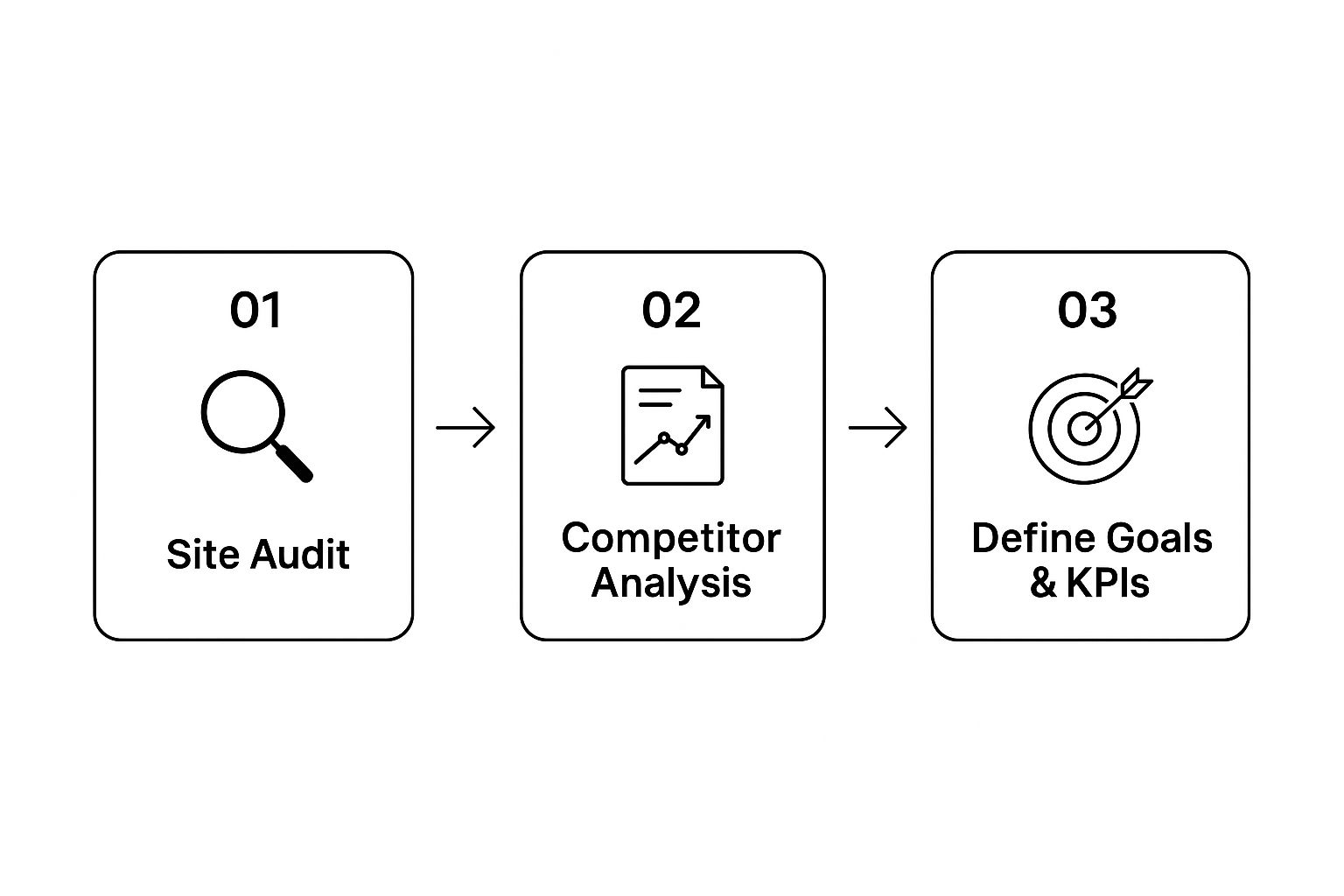
This visual really hammers home that a strong redesign strategy is built step-by-step, with each stage informing the next. It’s the only way to ensure the final plan is both coherent and effective.
Armed with insights from your audit and competitor analysis, you can now define what success actually looks like. Vague goals like “make the website better” are useless. You need specific, measurable objectives.
These are often called Key Performance Indicators (KPIs). Good KPIs are directly linked to business outcomes and let you measure the return on investment (ROI) from your redesign.
Your redesign goals should be SMART: Specific, Measurable, Achievable, Relevant, and Time-bound. This simple framework turns fuzzy wishes into solid targets that guide your whole project.
Here are a few examples of strong KPIs for a website redesign in Australia:
This planning phase is the perfect time to get familiar with the foundational key elements of modern website design, as they will inform the structure and features of your new site.
To keep everything on track, a simple checklist can be a lifesaver.
This checklist will help any Australian business navigate the crucial pre-design planning stages, ensuring no stone is left unturned before you start building.
| Planning Phase | Key Action | Why It Matters for an Australian Business |
|---|---|---|
| Internal Audit | Analyse website analytics (GA4) for user behaviour. | Identifies which pages are failing to engage your local audience. |
| UX Testing | Manually test site on mobile, tablet, and desktop. | Ensures your site works for the 92% of Aussies who use smartphones. |
| Competitor Analysis | Review 3-5 key local competitors’ websites. | Understands industry benchmarks and finds gaps in the Australian market. |
| Goal Setting | Define 3-4 SMART KPIs for the redesign. | Turns the project into a measurable investment, not just an expense. |
| Content Review | Audit all existing content for relevance and performance. | Ensures your messaging resonates with Australian customers and culture. |
| Tech Stack Evaluation | Assess current CMS and hosting capabilities. | Determines if your tech can support future growth and performance needs. |
Following this checklist ensures your redesign is built on a foundation of data and clear objectives.
Ultimately, this strategic blueprint—built on audits, competitive research, and clear goals—is the single most important part of a successful redesign. It ensures your new website won’t just be a pretty face, but a powerful engine for growing your business.
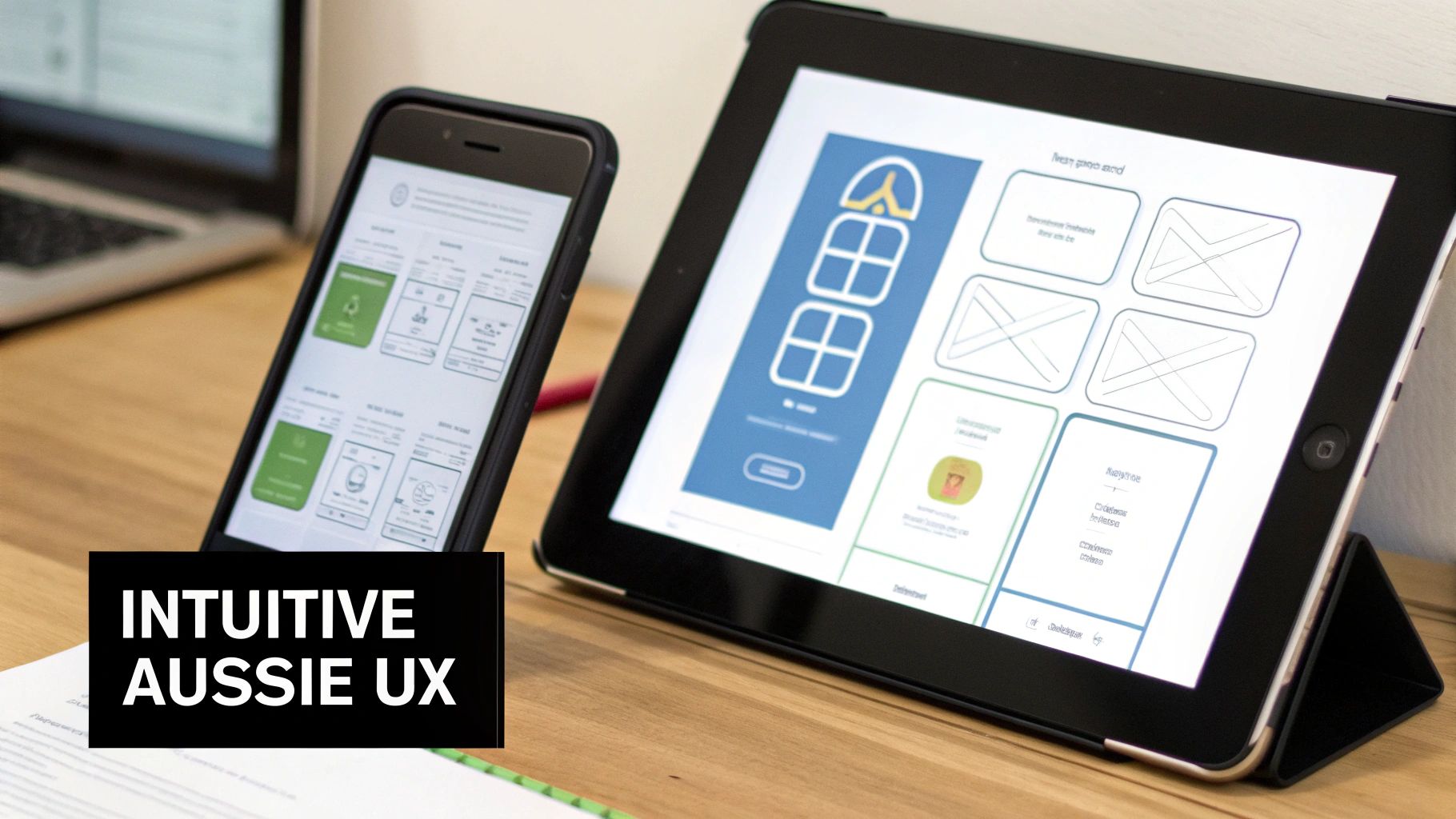
This is where the rubber hits the road. All that strategic planning now gets turned into a real, tangible experience your customers can interact with. But great design isn’t just about making things look pretty; it’s about crafting a journey that feels completely natural and effortless for an Aussie user.
Forget grabbing a generic template and calling it a day. The real goal here is to build a digital space that actually solves problems for your audience and resonates with local tastes. We’re talking about a site that’s not just beautiful, but a genuine, hard-working conversion tool that delivers a return on your investment.
Here in Australia, the mobile experience isn’t just important—it’s everything. It’s no longer good enough to have a desktop site that just awkwardly shrinks to fit a phone. A proper mobile-first approach means you design for the smallest screen first, then scale the experience up for tablets and desktops.
This way of thinking forces you to be ruthless with your priorities. On a tiny screen, there’s no room for clutter. You have to nail the core user journey, highlight the absolute must-have information, and make your calls-to-action impossible to miss.
It’s an approach that perfectly matches how people behave and what search engines want. With Google’s mobile-first indexing, the mobile version of your site is what they primarily use for ranking. A clunky or slow mobile site will actively hurt your chances of being found.
The backbone of any great design is a deep understanding of how people will actually move through your website. We start this process with wireframes—simple, black-and-white layouts that act as the skeleton of your site. Wireframing lets you map out the user flow and page structures without getting sidetracked by colours and fonts just yet.
You need to put yourself in your customer’s shoes:
Answering these questions helps you build a journey that feels like common sense. For instance, on a product page, the “Add to Cart” button should be big, bold, and obvious. Key info like shipping details needs to be right there, not hidden three clicks away. For any business selling online, getting these details right is non-negotiable. If you want to go deeper, resources on Mastering Ecommerce Web Design in Australia offer some fantastic, locally-focused insights.
A great user experience isn’t about adding more bells and whistles; it’s about removing friction. Every single click should feel deliberate and move the user closer to their goal.
The numbers don’t lie. Around 50% of Australian mobile users would rather use a browser than a dedicated app to visit a business. And get this: a staggering 53% will bail if your site takes more than three seconds to load. Speed isn’t a feature; it’s a basic requirement.
A modern, effective website redesign in Australia has to work for everyone, including people with disabilities. This isn’t just a “nice-to-have”—it’s a legal requirement under the Disability Discrimination Act 1992. Following the Web Content Accessibility Guidelines (WCAG) is the benchmark.
Making your site truly accessible comes down to a few key things:
The best part? These improvements don’t just help users with disabilities; they make the site better for absolutely everyone. A clear, high-contrast design is easier for anyone to read, especially on a phone in the bright Aussie sun. This commitment shows you care, which goes a long way in building brand trust.
With your design blueprint signed off, the project moves from pretty pictures to actual code. This is where your strategy starts to take shape as a real, functional website. It’s a critical phase that needs careful planning to make sure the final product isn’t just a good-looking shell, but a fast, secure, and high-performing asset from day one.
One of the first big decisions is choosing the right technical foundation. The platform you build on dictates everything—how flexible your site is, how it will scale as you grow, and how easy it is for your team to manage for years to come.
For most Aussie businesses, the choice often comes down to a few key players. A Content Management System (CMS) like WordPress offers incredible flexibility. Its massive ecosystem of plugins makes it a powerhouse for content-heavy sites, service businesses, and completely custom builds. It really puts you in the driver’s seat.
If you’re selling products online, though, a dedicated e-commerce platform like Shopify is often the smarter path. It’s built from the ground up to handle everything from product management and payment gateways to secure checkouts, taking a lot of the technical headaches out of online retail.
The right answer depends entirely on your business goals. A consulting firm in Adelaide has completely different needs to a fashion retailer in Melbourne. Your development partner should walk you through the pros and cons to land on the platform that genuinely supports your growth plans.
This is where so many website redesigns fall over. You can launch the most stunning new website in Australia, but if you lose all your hard-earned search engine rankings in the process, it’s a catastrophe. A successful launch is always built on a meticulous SEO migration plan.
The single most important part of this is setting up 301 redirects. Think of a 301 redirect as a permanent change-of-address notice for search engines. If your old ‘About Us’ page was at yoursite.com.au/about-us and the new one is at yoursite.com.au/about, a 301 redirect is what tells Google to pass the old page’s authority (its ‘SEO juice’) to the new one.
Neglecting 301 redirects is like moving house and not telling Australia Post. All your valuable mail—in this case, search traffic and link authority—gets lost. It’s the biggest technical mistake you can possibly make during a redesign.
Creating a comprehensive map of all your old URLs and their new destinations is non-negotiable. Every important page on your old site has to be accounted for. This is the only way to ensure a smooth transition and protect the organic traffic you’ve worked so hard to build.
As the big day approaches, a final, thorough check is vital to catch any last-minute gremlins. A pre-launch checklist ensures every box is ticked before you show the new site to the world. This isn’t the time to rush; it’s the time to be methodical.
Your team should have a detailed list, but here’s a look at the absolute must-dos before any redesign goes live.
This checklist isn’t exhaustive, but it covers the mission-critical items that protect your search rankings and ensure a smooth user experience right from the start.
| Checklist Item | Action Required | Impact if Missed |
|---|---|---|
| Mobile Responsiveness | Test the site on multiple real devices (iOS and Android). | A poor mobile experience can alienate over 60% of your visitors. |
| Cross-Browser Testing | Verify the site functions perfectly on Chrome, Safari, and Firefox. | Inconsistent experiences can frustrate users and harm credibility. |
| Site Speed Audit | Run tests using Google PageSpeed Insights to ensure fast load times. | A slow site leads to high bounce rates and lower search rankings. |
| 301 Redirects | Double-check that all key old URLs are redirecting to new pages. | Lost traffic, broken links, and a significant drop in SEO performance. |
| Tracking Codes | Confirm Google Analytics and other tracking scripts are installed. | You’ll be flying blind with no data to measure post-launch success. |
| Form Functionality | Test every single contact form, sign-up form, and checkout process. | Broken forms mean lost leads and lost revenue from day one. |
Working through this list turns a potentially stressful launch into a controlled, confident process. It ensures your new site makes a brilliant first impression for all the right reasons, setting the stage for future growth instead of immediate damage control.

Popping the virtual champagne as your new site goes live is a fantastic feeling, but it’s the starting line, not the finish. The real work begins now. A successful website redesign in Australia isn’t a one-off project; it’s the foundation for a continuous cycle of improvement that turns your digital presence into a proper growth engine.
Your launch is the perfect time to start gathering clean, actionable data. This is where you can finally see how all your strategic decisions are performing in the wild. Those goals and Key Performance Indicators (KPIs) you set during the planning phase? They now become your primary tools for measuring what’s working and making smart decisions moving forward.
Immediately after launch, your focus should pivot to monitoring user behaviour with tools like Google Analytics 4 (GA4). You’re no longer guessing how people use your site—you’re watching it happen in real-time.
Keep a close eye on those core KPIs you established earlier. For instance, if a key goal was to slash the mobile bounce rate on your service pages, you should be tracking that metric daily. If you were aiming to boost lead form submissions, is the conversion rate actually heading in the right direction?
Key metrics to monitor post-launch include:
This data tells the real story of your redesign’s performance. It shines a light on what’s working brilliantly and flags the areas that need a bit of a tune-up.
Your new website is a powerful platform, but it needs fresh, relevant content to keep attracting and engaging your audience. An ongoing content and Search Engine Optimisation (SEO) strategy is absolutely essential for long-term growth in the competitive Australian market.
This means regularly publishing blog posts, case studies, or guides that answer your customers’ most burning questions. A well-executed content strategy positions your business as an authority in your field and continuously feeds search engines new material to rank.
Of course, a big part of this strategy is driving qualified visitors to your shiny new pages. For a detailed breakdown, our guide on how to improve website traffic offers practical steps you can implement straight away. This consistent effort ensures your investment keeps paying off long after the launch party is over.
Your new website is like a high-performance car. It has incredible potential, but it needs ongoing fuel (content) and regular tune-ups (optimisation) to keep winning races.
This is especially critical when you look at how fast Australia’s digital economy is expanding. In 2024, online retail spending in Australia hit about AUD 69 billion, a 12% jump from the previous year, showing just how vital a strong online presence has become. You can find more insights about Australian ecommerce trends on foxandlee.com.au.
The best websites are never truly “finished.” The post-launch period is the perfect time to start experimenting and tweaking based on real user data. This is where you can get serious about Conversion Rate Optimisation (CRO).
A/B testing is a fantastic technique for this. Using this method, you can test different versions of a webpage element—like a headline, the colour of a call-to-action button, or an image—to see which one performs better. You could, for example, test a “Get a Free Quote” button against a “Request a Consultation” button to see which one generates more leads for your business.
These small, incremental improvements can have a massive cumulative impact on your bottom line. Continuously gathering feedback, analysing the data, and testing your assumptions is how you transform a good website into a great one that consistently drives business growth.
Starting a website redesign in Australia can feel like you’re opening a Pandora’s box of questions. It’s a big decision, and business owners are right to be weighing up the costs, timelines, and potential risks. We get it.
Let’s tackle the most common concerns head-on. No vague estimates or fluffy answers here—just a realistic picture based on the projects we’ve handled over the years. Understanding these key factors from the get-go helps demystify the whole thing and sets your project on the right path.
The honest answer? It really depends.
A straightforward redesign for a small, local service business—think 5-15 pages—might fall into the $5,000–$15,000 range. This typically gets you a professional, mobile-first design and a solid SEO foundation to build on.
But for a medium-sized business that needs a bit more grunt, like e-commerce integration or some custom functionality, the investment is more likely to sit between $15,000 and $30,000. And for larger, enterprise-level projects with extensive custom development, the budget can easily go north of $40,000.
Just remember to factor in a few other essential costs:
While every project has its own quirks, a typical redesign for an Australian business takes somewhere between 10 to 16 weeks. That’s from the initial kick-off meeting right through to launch day.
It’s a process you can’t really rush. It usually breaks down into a few key phases:
Trying to fast-track any of these stages, especially the planning at the start, is a classic mistake that almost always leads to a disappointing result.
This is the big one, and it’s a completely valid concern. A badly managed redesign can absolutely tank your search engine rankings.
The good news? With a proper SEO migration plan, you can not only protect your existing authority but actually improve on it. The secret weapon here is a rock-solid 301 redirect strategy. This means mapping every important URL on your old site to its new home, effectively giving Google a change-of-address form for every single page.
Neglecting 301 redirects is the single biggest technical mistake you can make. It’s like moving house and not forwarding your mail—all your valuable search traffic and authority simply gets lost in transit.
Your web partner must have a proven process for SEO migration. It should involve technical audits before you start, content optimisation during the build, and careful monitoring after launch to make sure you have a smooth transition without dropping the traffic you’ve worked so hard to build.
A successful website redesign is a powerful investment in your business’s future. At Virtual Ad Agency, we specialise in creating strategic, high-performing websites that drive growth for Australian businesses. Let’s talk about how we can transform your online presence.

 previous