
When we talk about weaving SEO into web design, we're talking about building a website with search engines in mind from the get-go. It’s not a final touch-up; it's a core part of the blueprint. This approach means every decision—from site structure and page speed to the way content is laid out—is intentionally designed to perform well in search results.

Treating SEO as something you bolt on after a website goes live is an old-school, expensive mistake. We've seen it time and again: businesses invest in a beautiful website only to face the harsh reality that nobody can find it. What follows is a painful cycle of costly redesigns, frustrating technical fixes, and a huge loss of potential revenue.
Bringing SEO into the conversation right from the initial wireframe is about building a solid foundation for organic growth. It’s a proactive strategy that lines up your website's architecture, user experience, and technical health with what search engines like Google want to see.
For Australian businesses, this isn't just a "nice-to-have" anymore; it's a critical financial decision. The investment in SEO is skyrocketing for one simple reason: it works. Recent industry analysis shows SEO has gone from a niche tactic to a major line item in digital budgets.
In fact, the Australian market value for SEO services is projected to hit around AUD 1.75 billion by the end of 2025. When you consider that organic search drives about 50-55% of all website traffic for many local companies, it’s no surprise that 67% of organisations are planning to increase their SEO investment. You can dig into more of these insights in the 2025 Australian marketing report.
This trend highlights a fundamental truth: a website that isn't built for search visibility is a website built on shaky ground.
A common misconception is that SEO can just be 'added on' later. In reality, core SEO elements like site structure, URL hierarchy, and mobile performance are baked into the web design process. Fixing them post-launch is like trying to renovate a house's foundation after it's already been built—it's disruptive, expensive, and often ineffective.
At the end of the day, integrating SEO into your web design process is about much more than just hitting the number one spot. It’s about creating a valuable asset that works for your business 24/7.
This guide gives you a clear roadmap to do just that. We'll walk you through how to build a website that doesn't just look good, but also:
The best websites aren’t just pretty faces; they’re built on a solid strategic foundation. Jumping straight into mockups without this initial groundwork is like building a house without plans. Sure, it might look okay from the outside, but it will almost certainly lack structural integrity.
This blueprinting phase is where you translate raw business goals into a tangible plan that informs every single design and development decision that follows. It's about being deliberate from day one.
This crucial first step involves a deep dive into what your Australian customers are actually searching for. Forget chasing high-volume, generic keywords. The real gold is in uncovering the specific phrases and questions that signal genuine interest and an intent to buy, right here in your local market.
Effective keyword research is less about filling spreadsheets and more about developing empathy for your customer. You have to get inside their head. For example, a boutique furniture store in Melbourne isn't really targeting "furniture"; they're after searches like "custom timber dining table Melbourne" or "art deco armchair Fitzroy". The difference in intent—and value—is massive.
This process involves a few key moves:
By mapping keywords to different stages of the buyer's journey, you ensure your design can accommodate various content types. A blog post answering an informational query will have a very different layout and call-to-action than a product page built for a transactional search.
Once you have your keyword map, the next job is to organise it into a logical site structure. This is your Information Architecture (IA), and it’s the absolute backbone of your website. A clear IA defines how content is grouped and linked, making it a breeze for users to navigate and for search engine crawlers to understand how all your pages relate to each other.
Think of your website as a library. Your main categories are the big aisles ('Services', 'About Us', 'Blog'), and the subcategories are the specific shelves ('SEO Services', 'PPC Management'). A good IA ensures everything is clearly labelled and easy to find, preventing both users and Googlebot from getting lost and frustrated.
Understanding How to Implement Search Engine Optimization on Enterprise Platforms is essential from the outset, as these principles scale from the smallest business to the largest corporation. A clean IA almost always translates directly into clean, descriptive URLs. A URL like yoursite.com.au/services/seo-audits is infinitely more valuable than yoursite.com.au/page?id=123.
To help you get this right, here’s a quick checklist to follow.
This checklist will help ensure your website's structure is optimised for both users and search engines right from the start.
| Checklist Item | Key SEO Consideration | Actionable Step |
|---|---|---|
| Logical Hierarchy | Is the structure intuitive and no more than 3-4 levels deep? | Create a visual sitemap or spreadsheet mapping out parent and child pages. |
| Descriptive URLs | Do URLs contain target keywords and reflect the page's content? | Use your keyword research to create human-readable, static URLs. |
| Internal Linking Strategy | Are important pages linked to from the main navigation and within content? | Plan for "siloing" content, where related articles link to each other. |
| Breadcrumbs | Is there a clear path showing the user's location within the site? | Implement breadcrumb navigation, especially for e-commerce or large sites. |
| Click Depth | Can users and crawlers reach any page in 3 clicks or less from the homepage? | Review your proposed structure to flatten any unnecessarily deep sections. |
Nailing this IA upfront saves a world of headaches later on. It’s one of the most critical parts of the entire process.
No website exists in a vacuum. A vital part of your blueprinting phase is a thorough competitor analysis. This isn't about copying what everyone else is doing; it’s about finding the gaps and opportunities they’ve missed.
Look at the top-ranking sites for your target keywords and ask some tough questions:
This analysis gives you benchmarks to aim for and, more importantly, exposes weaknesses you can exploit. Maybe your competitors have terrible local landing pages or their blog content is five years out of date. These are the strategic openings your new design can be built to capture from day one.
This entire process is fundamental to building a powerful digital presence. For anyone looking to streamline this, using a digital marketing strategy template can provide a structured framework to make sure no stone is left unturned. This meticulous planning is what separates websites that just exist from those that completely dominate the search results.
In the world of web design, speed isn’t a feature—it’s the foundation. Let's be honest, a slow or clumsy mobile website is more than just an annoyance. It’s a direct signal to search engines that your site delivers a poor experience, and that can seriously hurt your rankings. Performance has to be a core design principle, not just a developer’s problem to fix later on.
The link between site speed, mobile experience, and search engine visibility is undeniable. Google has been crystal clear with its mobile-first indexing, meaning it primarily uses the mobile version of your site to figure out where you should rank. If your mobile site is subpar, your entire SEO potential is capped. It's as simple as that.
Google’s Core Web Vitals are a set of metrics that cut through the technical jargon to measure what real users actually experience. They focus on loading performance, interactivity, and visual stability. As a designer, getting your head around these can directly improve your creative choices.
Here are the three big ones:
Nailing these scores isn't just a "nice-to-have." Australian web performance analyses for 2025 show that sites with faster load times see dramatically better commercial outcomes. Pages that load in about one second convert 3-5 times better than those taking a sluggish 5-10 seconds.
Mobile-first design isn’t about making a desktop site shrink to fit a small screen. It’s a complete shift in thinking. You design for the smallest screen first and then scale up. This approach forces you to be ruthless with your priorities, leading to cleaner, faster, and more focused experiences for everyone.
This philosophy has a massive impact on the seo in web designing process. When you start with mobile constraints, you naturally avoid the bloat that often slows down desktop-first builds. You're forced to think critically about every single element, from navigation menus to image sizes, ensuring the final product is lean and efficient on any device.
A successful mobile-first approach is central to any major digital overhaul. If you're planning an update, it's worth exploring the details of a website redesign in Australia to see how this methodology preserves and boosts SEO value through the transition.
So, how do you actually put these principles into action during the design phase? It all comes down to making conscious choices that prioritise speed without killing the aesthetics.
This infographic outlines the foundational flow for weaving SEO into your design process, making sure structure and analysis are baked in from the very beginning.
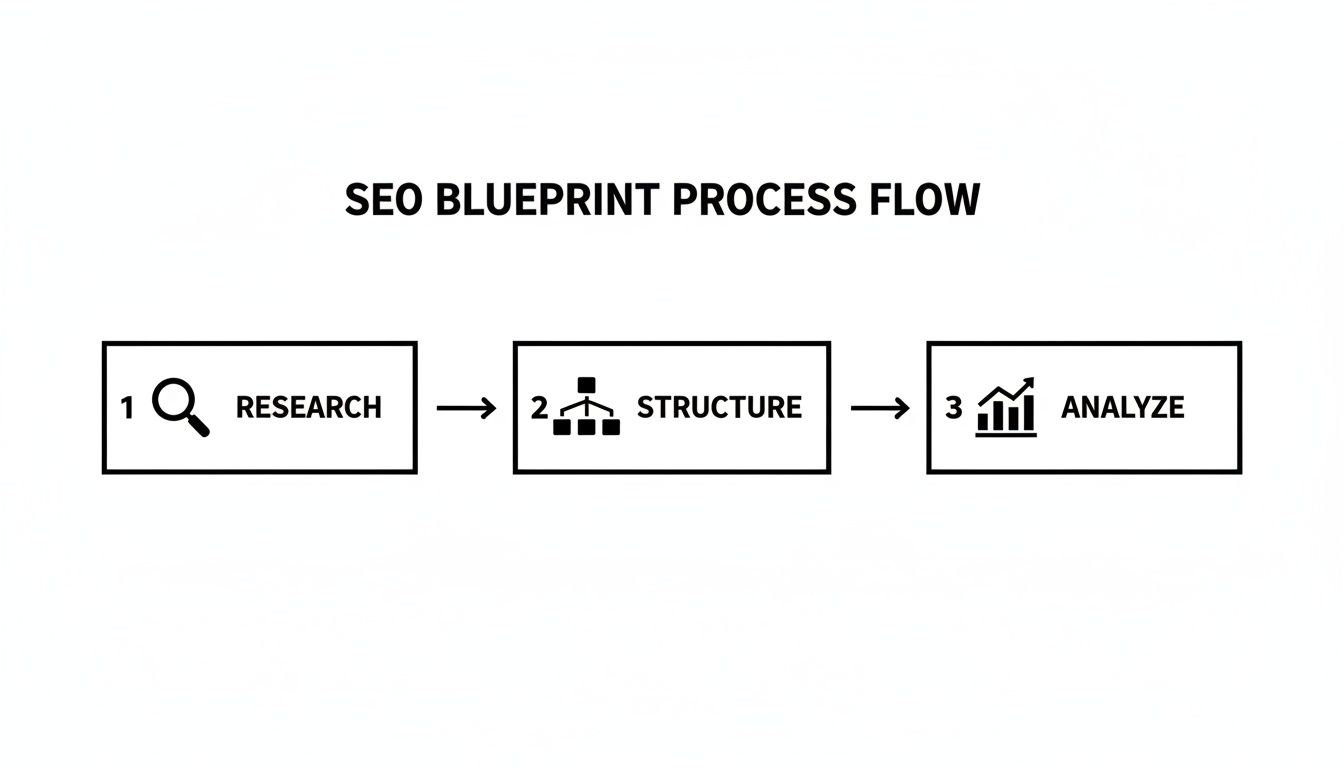
This visual just reinforces the point: performance thinking needs to be part of the earliest research and site architecture stages, not something tacked on at the end.
Here are some actionable tips to get you started:
Beyond the design file, the very foundation of your site's performance lies with your hosting. Taking the time to understand how your hosting service affects website speed can help you make smarter decisions right from the start.
Ultimately, a fast, mobile-friendly design isn't just good for SEO—it's good for business.
This is where a designer's vision can either elevate or sabotage search performance. Let's be clear: integrating on-page SEO into your designs isn't about stifling creativity for the sake of keywords. It’s about making your beautiful work pull double duty for the business.
Think of it as creating a visual language that speaks fluently to both people and search engines. A great design naturally guides the user's eye and tells a story. An SEO-savvy design does exactly that, but it also lays out a clear, logical blueprint for Google's crawlers to follow.
Headings (H1, H2, H3, and so on) are about as fundamental as it gets in on-page SEO, yet they are entirely a design decision. They build a visual hierarchy that makes content easy for people to scan, but just as importantly, they signal the page's structure and topic relevance to Google.
A classic mistake we see all the time is designers choosing heading tags based on default styling. Someone might grab an H3 because its size and weight look better in a particular spot than an H2, completely scrambling the page's logical flow for search engines.
Here’s how to get it right from the design stage:
When you bake these rules into your design system, you create templates that inherently nudge writers to structure their content correctly. It's an effortless SEO win born from smart design.
Think of your page like a book. The H1 is the book's title. The H2s are the chapter titles. The H3s are the subheadings inside each chapter. You wouldn't just mix them up randomly, and the same thinking applies to your web page.
Your page templates are the canvas. By designing them thoughtfully, you can build SEO best practices right into the website’s DNA. This means planning layouts that have room for more than just a hero image and a headline.
Instead of just dropping in generic text blocks, think about designing specific modules that encourage richer, SEO-friendly content. For instance, you could create pre-styled components for:
Designing for different content types empowers your writers to build out more valuable, comprehensive pages. It's worth noting that a recent analysis found 78% of SEO issues are image-related—a huge area where designers can lead. Your templates should have clear prompts for alt text and ensure images are served in modern, optimised formats like WebP.
Structured data (often called Schema markup) is a bit of code that gives search engines extra context about your page content. This understanding is what powers "rich snippets"—those more attractive search results with star ratings, prices, or event info that stand out on the page.
While a developer will ultimately implement the code, the designer needs to plan for it. You have to know what kind of rich snippet you're aiming for to ensure the necessary page elements are actually in the design.
When you design these elements from the get-go, you make the developer's job of adding the right Schema markup infinitely easier. This simple, proactive step turns a design choice into a powerful lever for boosting click-through rates from search results. It’s a perfect example of how SEO in web designing connects visual decisions to real business outcomes.
For the vast majority of Australian businesses, local customers are the lifeblood of the operation. Whether you're a cafe in Perth, a plumber in Brisbane, or a retailer in Sydney, your digital front door needs to be wide open for nearby customers. This is where your web design strategy has to get serious about SEO, turning a simple online brochure into a powerful magnet for local traffic.
The entire game changes when you're competing on a local level. It’s no longer about outranking massive national chains; it's about being the first and best answer for someone searching "best coffee near me" or "emergency electrician Adelaide." Your website design has to directly support this goal from the ground up.
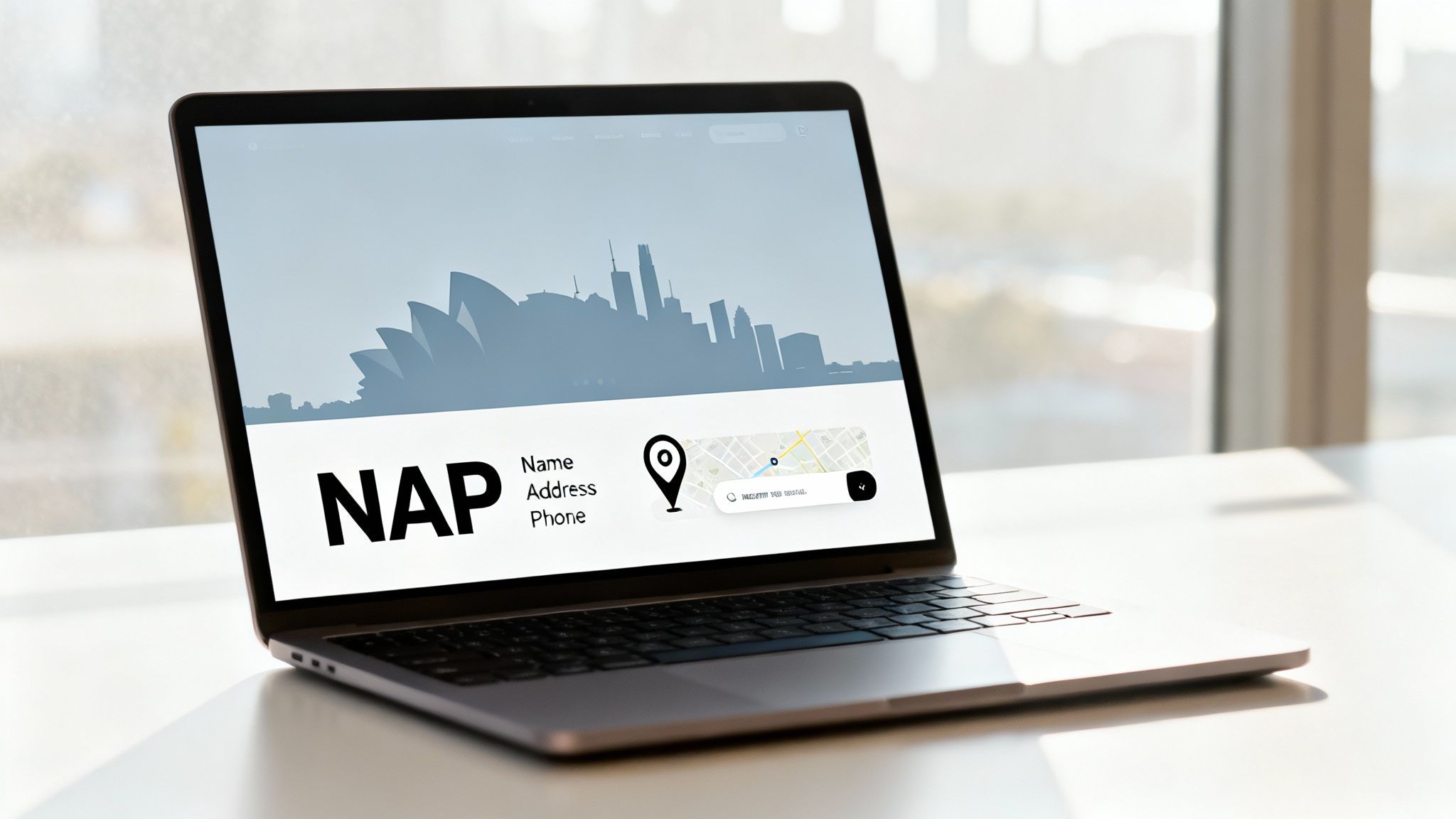
One of the most foundational bits of local SEO is your NAP data—that’s your Name, Address, and Phone number. Consistency here is non-negotiable. Google uses this info to verify your business is legitimate and located exactly where you say it is.
From a design perspective, this means your NAP information shouldn't be buried on some hard-to-find contact page. Smart web design places this critical data in the website's footer, making it visible on every single page. This constant reinforcement sends a powerful signal to search engines about your physical location.
When you're designing the contact page itself, think practically:
These aren't just minor user experience tweaks. They are deliberate design choices that feed directly into your local search visibility.
If your business has a single storefront or serves specific suburbs, dedicated location-specific landing pages are a must. These pages are your chance to completely dominate "near me" searches by creating content that's hyper-relevant to a particular geographic area.
Your design should go far beyond a generic template. A high-converting location page needs to feel local.
This level of detail signals extreme relevance to search engines, and Australian consumer behaviour backs this up. Reports show that around 76% of location-based mobile searches result in a store visit within 24 hours. When a design effectively captures this high-intent traffic, it has an immediate impact on foot traffic and sales.
Local SEO isn't just about a pin on a map. It’s about building digital trust with a local community. Your website's design—from consistent NAP data to locally-focused landing pages—is your primary tool for building that trust with both customers and search engines.
While a developer will handle the final implementation, the web designer has to plan for Local Business Schema. This is basically a chunk of code that explicitly tells Google all the important details about your business, like your address, opening hours, and what type of business you are.
It's this schema that helps you earn that prominent placement in Google's "map pack"—the three local results that appear right at the top of the search page. For this to work, your design must present all the necessary information cleanly and clearly.
Your page layout for a service or contact page should have designated spots for every piece of information you want to mark up. This proactive approach makes the technical side of things much smoother and more effective. It's especially vital for companies looking to solidify their local presence, and understanding the nuances of SEO for small businesses can provide a significant advantage in competitive local markets.
By integrating these local SEO principles directly into your web design process, you're not just creating a nice-looking site. You're building a strategic asset engineered to attract, engage, and convert customers right in your own backyard.
Even with the best plan, questions always pop up when you're trying to weave SEO and web design together. Let’s tackle some of the most common queries we hear from clients. Getting these answers right can save you from some seriously costly mistakes down the line.
Right at the start. Ideally, your SEO expert should be in the room during the very first strategy session—the discovery phase.
Bringing in an SEO specialist after the design is locked in is a classic, painful error. It almost always leads to expensive rework. It’s a bit like asking an architect to make a building earthquake-proof after the walls have already gone up.
When SEO is involved from day one, keyword research can directly inform the site's architecture, URL structure, and content plan. This foundational work ensures the design is built to be found, rather than trying to shoehorn SEO tactics into a structure that’s actively working against you. It's a proactive approach that saves a huge amount of time and money.
Yes, it absolutely can. A visually stunning design can become a major roadblock for SEO if it puts aesthetics ahead of performance and technical fundamentals. We see this happen all the time when design choices are made in a vacuum, without a thought for search engines.
Some common design-led SEO problems include:
The goal isn't to sacrifice beautiful design. It's about finding that sweet spot where great design enhances and supports a rock-solid SEO foundation.
If you had to pick just one area to nail, it would be mobile-friendliness and site speed.
With Google's mobile-first indexing, how your site looks and performs on a mobile device is now the primary factor in how Google sees it overall. A clunky mobile experience will drag down your rankings everywhere.
Site speed and Core Web Vitals are directly linked to this. As a designer, you can make the biggest impact by:
A fast, mobile-responsive website delivers a superior user experience, which is one of the most powerful positive signals you can send to Google. It’s simply non-negotiable for modern SEO in web design.
Very carefully. This is a high-stakes process. A botched redesign can wipe out years of SEO progress overnight, so you need a meticulous migration plan to avoid losing the traffic and authority your old site has already built.
The key is to treat it less like a fresh start and more like a careful transplant. Done right, a migration not only preserves your existing rankings but can even give you an immediate boost.
Here’s the essential checklist:
At Virtual Ad Agency, we specialise in creating websites that aren't just visually compelling but are also engineered for peak search engine performance. If you want to ensure your next web design project drives real business growth, let's talk.

 previous