
When people ask how much Google Ads cost, there’s no simple, off-the-shelf answer. The truth is, it’s a huge range. You could be spending a few hundred dollars or well over $10,000 per month, and it all comes down to your industry, what you want to achieve, and your overall game plan.
Think of Google Ads less like buying a product and more like stepping into a live auction. Every single time someone searches for a keyword you’re targeting, Google runs an instant auction to decide which ads get shown. You tell Google the absolute most you’re willing to pay for a click—your maximum bid—but you often end up paying less.
And here’s where it gets really interesting. This auction isn't just about who has the deepest pockets. It’s heavily skewed to reward quality and relevance. This means a business with a spot-on ad and a fantastic landing page can actually pay less for a click than a competitor with a massive budget but a sloppy setup. It’s not about outspending the competition; it’s about outsmarting them.
A few core elements mix together to determine what you’ll actually spend. Getting your head around these is the first real step to setting a budget that works.
The main drivers are:
The most important thing to remember is that you are always in control of your budget. You can set daily spending caps, hit pause on a campaign whenever you like, and tweak your strategy based on real performance data to make sure you’re getting your money’s worth.
To give you a clearer picture, we've put together a table showing what Australian businesses can generally expect to pay for the main Google Ads metrics. Think of these as a starting benchmark.
This table provides estimated average costs for key Google Ads metrics in Australia, offering a quick benchmark for businesses.
| Metric | Average Cost Range (AUD) |
|---|---|
| Cost Per Click (CPC) | $1.00 – $7.00+ |
| Cost Per Mille (CPM) | $2.00 – $10.00 |
| Cost Per Acquisition (CPA) | $30.00 – $150.00+ |
Of course, these numbers can swing wildly. A highly competitive industry could see CPAs in the hundreds, while a niche local service might achieve them for far less. The key is to know where you stand and work from there.
So, how does Google decide what you pay for each click? It all comes down to the Google Ads auction, a process that runs billions of times a day at lightning speed. But it's not a simple case of the highest bidder taking home the prize.
Think of it less like a traditional auction and more like a sophisticated scoring system. Google’s main goal is to show the most useful ads to its users, not just the ones from advertisers with the deepest pockets. This is where Ad Rank comes in—it’s the formula Google uses to figure out your ad's position on the search results page.
Ad Rank is calculated by multiplying your maximum bid (the most you're willing to pay for a click) by your Quality Score. This means a competitor could throw more money at their bid, but if your Quality Score is higher, you could actually snag a better ad spot for a lower price.
Quality Score is Google’s rating of how relevant and high-quality your keywords and ads are. It’s scored from 1 to 10, with 10 being the best. A high score is Google’s way of nodding in approval, saying your ad is a great match for what someone is searching for. The reward? Lower costs and better ad placements.
In essence, investing in a better user experience is a direct investment in lowering your advertising costs. Google's system is built to reward advertisers who focus on quality, not just on spend.
This score is made up of three key ingredients. Nailing each one is the secret to paying less for better results.
The following map shows how your goals, industry, and the quality of your campaigns all flow together to determine your final cost.
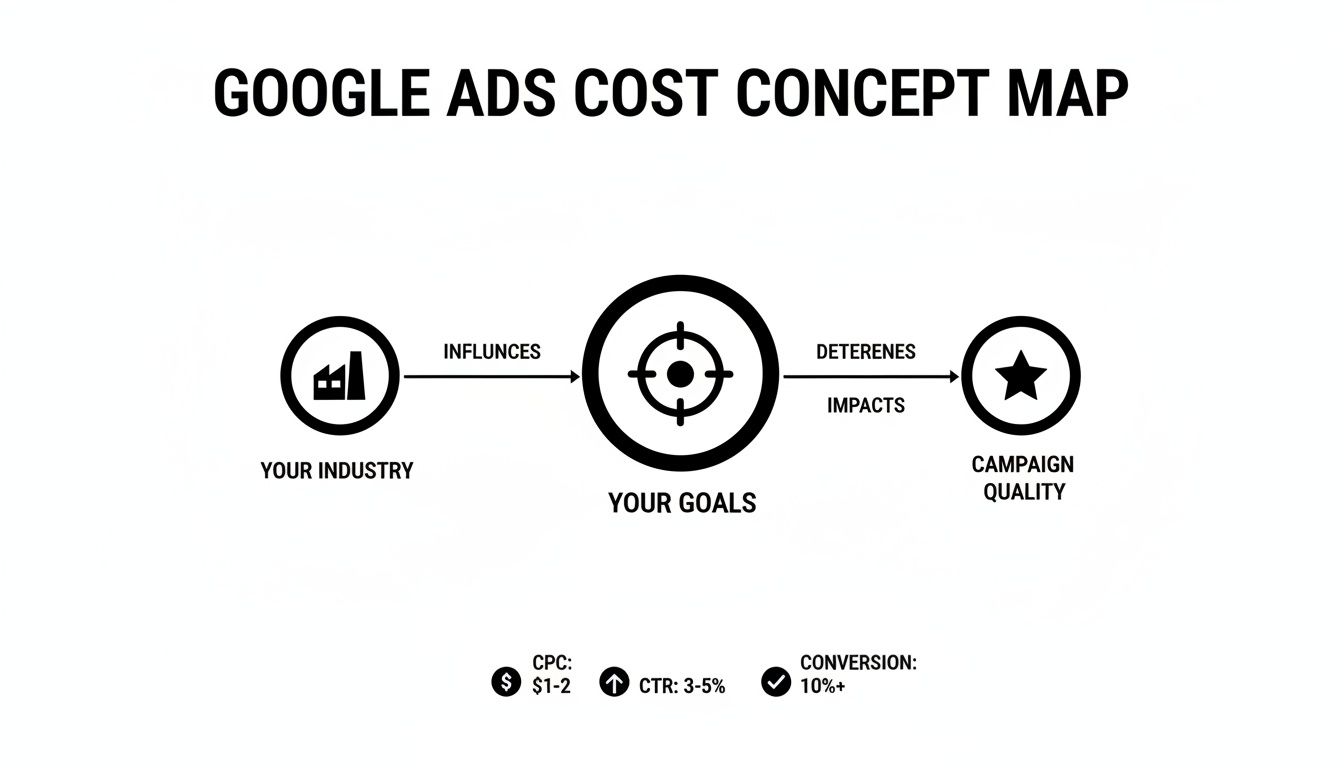
This visual really reinforces that while your business goals and industry set the stage, it's the quality of your campaign that ultimately gives you control over your ad spend.
Now for the interesting part: you don't actually pay your maximum bid. Instead, you pay just enough to beat the Ad Rank of the advertiser directly below you. The formula basically works like this:
(Ad Rank of the person below you / Your Quality Score) + $0.01 = Your Actual CPC
This is why your Quality Score is such a powerhouse. A high score acts like a discount, directly shaving down the amount you have to pay to keep your ad position. If you have a Quality Score of 8/10, you'll pay significantly less per click than a competitor with a score of 3/10, even if you're both bidding on the exact same keywords.
This system is central to understanding how much Google Ads cost. Instead of just pouring more money into bids, your focus should always be on creating high-quality, relevant experiences that users will actually appreciate.
When you're dissecting what you truly pay for, it’s also worth looking at different ad types. For instance, understanding the worth of display ads can offer more insight into optimising your budget. Different formats like Display often use other pricing models, like paying per impression, which you can learn more about by exploring the https://virtualadagency.com.au/cost-per-impression-formula/. By focusing on quality and relevance across the board, you’ll achieve better results and a stronger return on investment, making every dollar you spend work that much harder.
Once you’ve got your head around the ad auction, the next move is picking your game plan. Your bidding strategy is the engine driving your campaign; it’s you telling Google precisely how to spend your money to get what you want. Think of it like instructing a race car driver: are you chasing top speed, trying to conserve fuel, or just focused on finishing the race?
Each strategy connects your budget to a specific outcome, which directly shapes how much your Google Ads cost and what you get back. You’re not just throwing money at keywords—you’re defining what success actually looks like for your business.
The first big choice is whether you want to take the wheel yourself or hand the keys over to Google’s AI.
Manual CPC bidding puts you in the driver’s seat. You get to set a specific maximum bid for every single keyword, giving you ultimate control. This approach is fantastic for advertisers who love getting into the weeds and have the time to manage their campaigns with a fine-tooth comb.
These days, however, most advertisers lean on Automated Bidding Strategies. They use machine learning to crunch huge amounts of data in real-time, tweaking your bids on the fly to hit a certain goal. This isn’t about losing control; it’s about using powerful tech to make smarter decisions at a scale no human possibly could.
The perfect strategy comes down to one thing: what are you trying to achieve? Is it brand awareness, website traffic, leads, or sales? Each of these goals has a matching bidding model designed to get you the best possible return.
Let's break down the most common strategies and who they’re for:
Choosing a conversion-focused bidding strategy shifts the conversation from "How much does a click cost?" to "How much does it cost to get a new customer?" This is the absolute key to unlocking genuine profitability with Google Ads.
Once you have conversion tracking properly set up, you unlock Google's most powerful bidding options. These strategies tie your ad spend directly to real business results, giving you a much clearer picture of your return on investment.
Take a local plumber, for example. They would likely use the Maximize Conversions strategy. Their goal is straightforward: get the highest number of phone calls and contact form submissions their budget allows. Google's AI will automatically bid more aggressively for users its data suggests are more likely to turn into a lead.
On the other hand, an e-commerce store selling shoes would probably go for a Target ROAS (Return On Ad Spend) strategy. This lets them tell Google exactly what return they want for every dollar they spend. If they set a 200% ROAS target, Google will aim to generate $2 in sales for every $1 of ad spend.
A more recent—and incredibly powerful—option is Performance Max. This is an all-in-one campaign that uses AI to hunt for customers across all of Google's channels, including Search, YouTube, Display, and Gmail. You feed it the creative assets and conversion goals, and Google’s algorithm handles the rest, making it a formidable tool for any business focused on growth.
Let's get one thing straight: not all clicks are created equal. The real answer to "how much do Google Ads cost?" changes dramatically depending on whether you're a lawyer in Sydney or a cafe owner in Perth. Your industry and where you do business are two of the most powerful forces shaping your ad spend.
Think of it like this. Imagine two businesses bidding for the same ad space. One is a law firm where a single new client could be worth $10,000. The other is a local bakery where the average sale is $15. The law firm can comfortably bid much, much higher for a click because the potential return is enormous. This is the core principle at play: industries with a high customer lifetime value (CLV) naturally attract more competition and, as a result, higher ad costs.
Sectors like legal services, finance, and even home improvement are notorious for their expensive keywords. It's not personal; it's just the sheer number of businesses fighting for the top ad spots that drives up the price for everyone.

Trying to apply a one-size-fits-all budget to Google Ads is like using a city map to navigate the outback—it just won’t work. The competitive pressures within your specific niche dictate what's realistic. If your competitors are all bidding $8 for a top-of-page placement, your $2 maximum bid will leave your ads virtually invisible, no matter how brilliant they are.
This is exactly why you need to understand industry benchmarks. They give you a data-driven starting point, helping you set a budget that gives you a fighting chance to compete for valuable clicks. Without this context, you’re flying blind, risking either spending too little to get any traction or overspending on clicks that never deliver a positive return.
To give you a clearer picture, the Australian Google Ads landscape shows some pretty wild cost variations between industries. Looking at broad averages can be misleading because of the huge disparities at play. For instance, some recent benchmarks show e-commerce CPAs sitting between $45-$100 AUD, which is a world away from the tech sector's $133-$202 or real estate's $116-$177. You can dig into these Australian cost breakdowns to see the full picture.
The table below gives you a comparative look at what different Australian businesses can expect to pay for a single click, on average.
| Industry | Average Cost Per Click (CPC) Range |
|---|---|
| Legal Services | $8.00 – $15.00+ |
| Finance & Insurance | $7.00 – $12.00 |
| Home & Home Improvement | $6.00 – $11.00 |
| Real Estate | $3.00 – $8.00 |
| Health & Fitness | $4.00 – $9.00 |
| Travel & Hospitality | $2.00 – $6.00 |
| E-commerce & Retail | $1.50 – $5.00 |
These numbers really drive the point home. A retailer can get multiple clicks for the same price a law firm pays for just one. Your strategy has to be tailored to your specific market.
Beyond what you sell, where you sell it also plays a major role. Costs are almost always higher in densely populated cities like Sydney and Melbourne compared to regional towns. It's a simple case of supply and demand; more businesses are competing for the attention of a larger pool of customers in these major hubs.
But this isn't a problem—it's a strategic opportunity:
Ultimately, your Google Ads cost is a direct reflection of your competitive environment. Understanding the specific pressures of your industry and location is the first step toward building a smart, profitable, and sustainable advertising strategy that delivers real results.
Alright, let's move from theory to a practical budget you can actually work with. Figuring out the right spend isn't about plucking a number from thin air. It's about building a strategic investment plan that balances your business goals, what you can comfortably afford, and the hard realities of your industry's competitive landscape.
A common trip-up is thinking your budget is just your ad spend. A realistic plan actually has three parts: the ad spend itself (what you pay Google), the cost of professional management, and the resources you'll need for creating ads and landing pages that actually convert. When you think of it this way, you stop seeing it as just an expense and start seeing it as a complete system for growth.
Your starting budget is going to depend heavily on where your business is at and what you want to achieve. A small local business just dipping its toes in the water has totally different needs than a national e-commerce brand looking to scale up aggressively.
Here’s a practical breakdown of what that looks like:
A smart budget is never a set-and-forget figure. Think of it as a flexible plan that needs regular check-ups. As performance data rolls in, you can confidently double down on what’s working and pull back on what isn’t, making sure your investment is always pulling its weight.
For many businesses, trying to manage Google Ads in-house just isn't realistic. That's where a professional agency comes in, but their fees are a crucial part of your overall budget calculation. Understanding how agencies charge helps you see the value they bring in squeezing every drop of performance out of your spend.
Here are the common fee structures you'll come across:
Expert management isn't just another line item; it's an investment in efficiency. A well-managed account can easily save you more in wasted ad spend than the management fee itself. While starting points vary, many experts suggest a smart budget kicks off at $5,000-$20,000 monthly for solid results, ensuring your campaigns deliver a measurable return.
This level of investment is often what it takes to properly test, learn, and optimise for sustainable growth. And to get a better handle on your potential campaign performance, you can estimate key metrics with our free click-through rate calculator.
Getting your head around how much Google Ads cost is one thing. The real win comes from making every single dollar you spend pull its weight. Squeezing more out of your ad spend isn't about slashing your budget; it’s about plugging the leaks and optimising your campaigns so you get more conversions from the same investment.
The trick is to stop thinking about just buying traffic and start focusing on buying the right traffic. With a few proven tactics, you can bring your costs down significantly without turning off the tap for valuable leads or sales. It's all about refining your campaigns, making your ads more relevant, and ultimately, getting a much healthier return.
One of the quickest ways to burn through your budget is to show ads to people who were never going to be your customers in the first place. This is where negative keywords become your best friend for cutting down on waste.
Think of negative keywords as a bouncer for your ad campaign. They stand at the door and turn away any search terms that might sound related but have completely the wrong intent. For instance, a business selling brand-new office furniture would add words like "free," "used," or "repair" to its negative list. This stops them from paying for clicks from people who are clearly not in the market for what they sell.
By diligently building out your negative keyword list, you ensure your budget is spent only on clicks from genuinely interested prospects, which directly lowers your cost per acquisition.
Make it a habit to regularly check your search terms report in Google Ads to uncover new negative keywords to add. This simple, ongoing task can save you hundreds, if not thousands, of dollars over time.
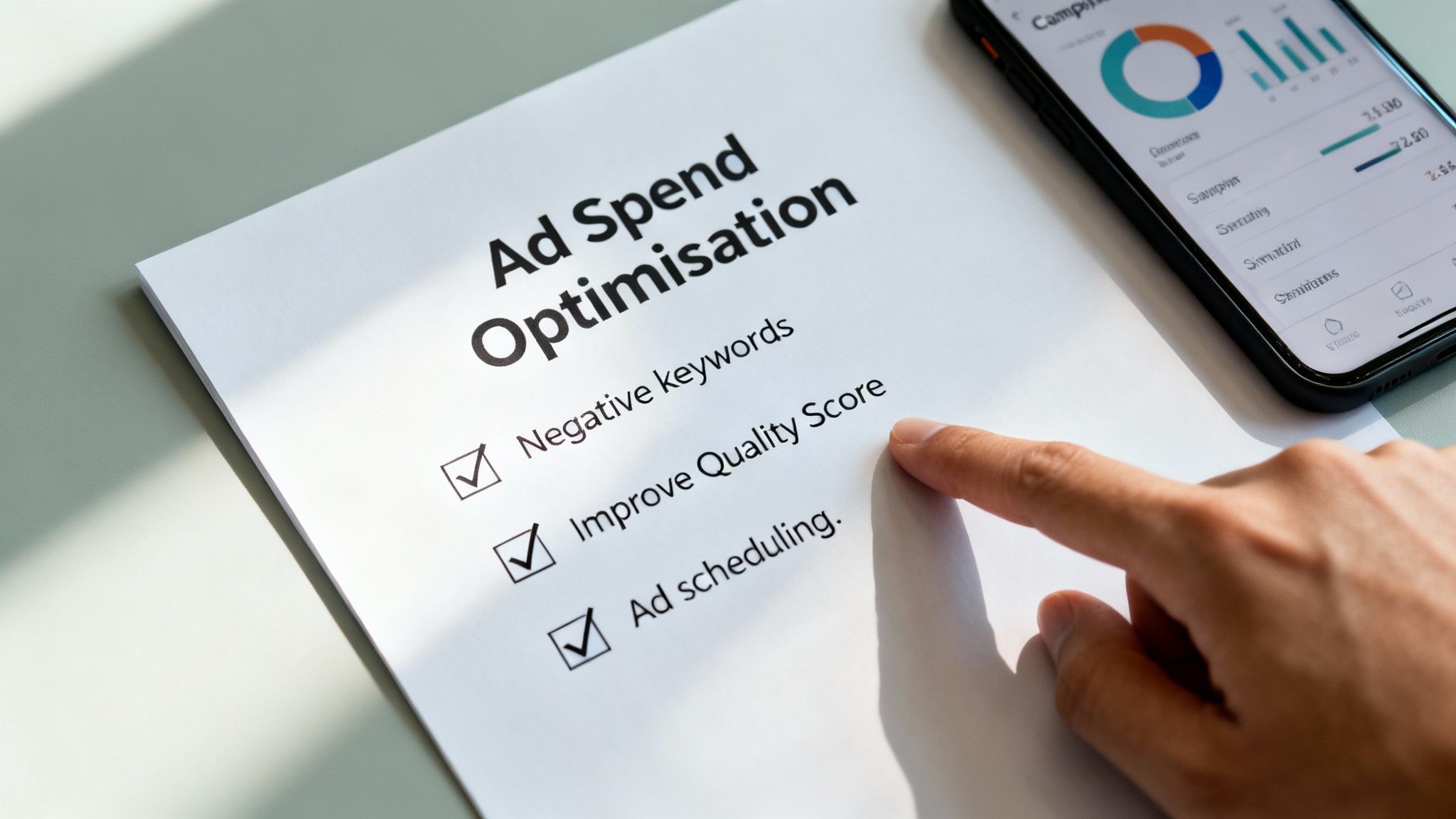
As we’ve touched on, your Quality Score is Google’s rating of how relevant your ad is, and it has a massive impact on what you pay per click. A higher score basically acts like a discount, so improving it is one of the most direct ways to reduce your ad spend.
Here's where to put your energy:
Not every hour of the day or every location is created equal when it comes to conversions. Using ad scheduling and geotargeting lets you put your budget to work where and when it will have the most impact.
Dive into your campaign data and pinpoint the days of the week and times of the day when you get the most conversions. You can then schedule your ads to show more aggressively during these peak periods, or even pause them completely during times that consistently underperform. In the same way, you can refine your location targeting to focus your spend on the specific suburbs, cities, or regions that bring in your most valuable customers.
Ultimately, mastering these tactics is what separates a good campaign from a great one. And the foundation that makes all this possible is an effective Google Ads conversion tracking setup—it helps you stop gambling with your ad spend. If you need an expert eye on your account, professional Google Ads management can provide the strategic oversight needed to truly maximise your return.
Even after breaking it all down, it's totally normal to have a few questions rattling around. Let's tackle some of the most common ones we hear, clearing up any final bits of confusion so you can get started with confidence.
There's no single magic number, but for most small businesses, a good launching pad is somewhere between $1,000 to $2,500 per month. This gives you enough firepower to actually gather some meaningful data, test out different keywords and ads, and start seeing a proper flow of clicks and potential leads.
Trying to start too small, say with a $10 daily budget, is often a recipe for frustration. If you're in a competitive field where a single click might cost $8, that budget is wiped out after one interaction. You're left with virtually no useful data to figure out what to do next.
Think of your initial budget as an investment in data. The goal isn't just to get immediate sales but to learn what works so you can scale your spending profitably.
A more realistic starting budget means you can actually compete and figure out your winning strategies much, much faster.
You'll start getting traffic the moment your ads go live, but seeing a consistent, positive return on your investment (ROI) definitely takes a bit of time. Generally, you can expect to see the initial trends and performance patterns emerge within the first 30 to 90 days.
This initial period is absolutely crucial for a couple of reasons:
Patience is your best friend here. Real success with Google Ads is a marathon of continuous optimisation based on real-world data, not a sprint to an overnight win.
Technically, yes, you can. But it comes with some pretty big challenges. If you’re working with only a few hundred dollars a month, you have to be incredibly strategic. We're talking about focusing on super-specific, long-tail keywords that have less competition and zeroing in on a tiny geographic area.
Just be realistic about what you can achieve. A tiny budget will only bring in a trickle of traffic and data, which makes it incredibly difficult to optimise effectively or stand up against businesses with deeper pockets. It's possible, but it demands a lot more patience and a much narrower focus to get any meaningful results.
Ready to stop guessing and start getting real results from your advertising spend? The team at Virtual Ad Agency specialises in creating data-driven Google Ads strategies that maximise your return on investment. Let's build a profitable campaign together.

 previous